What this capability really is
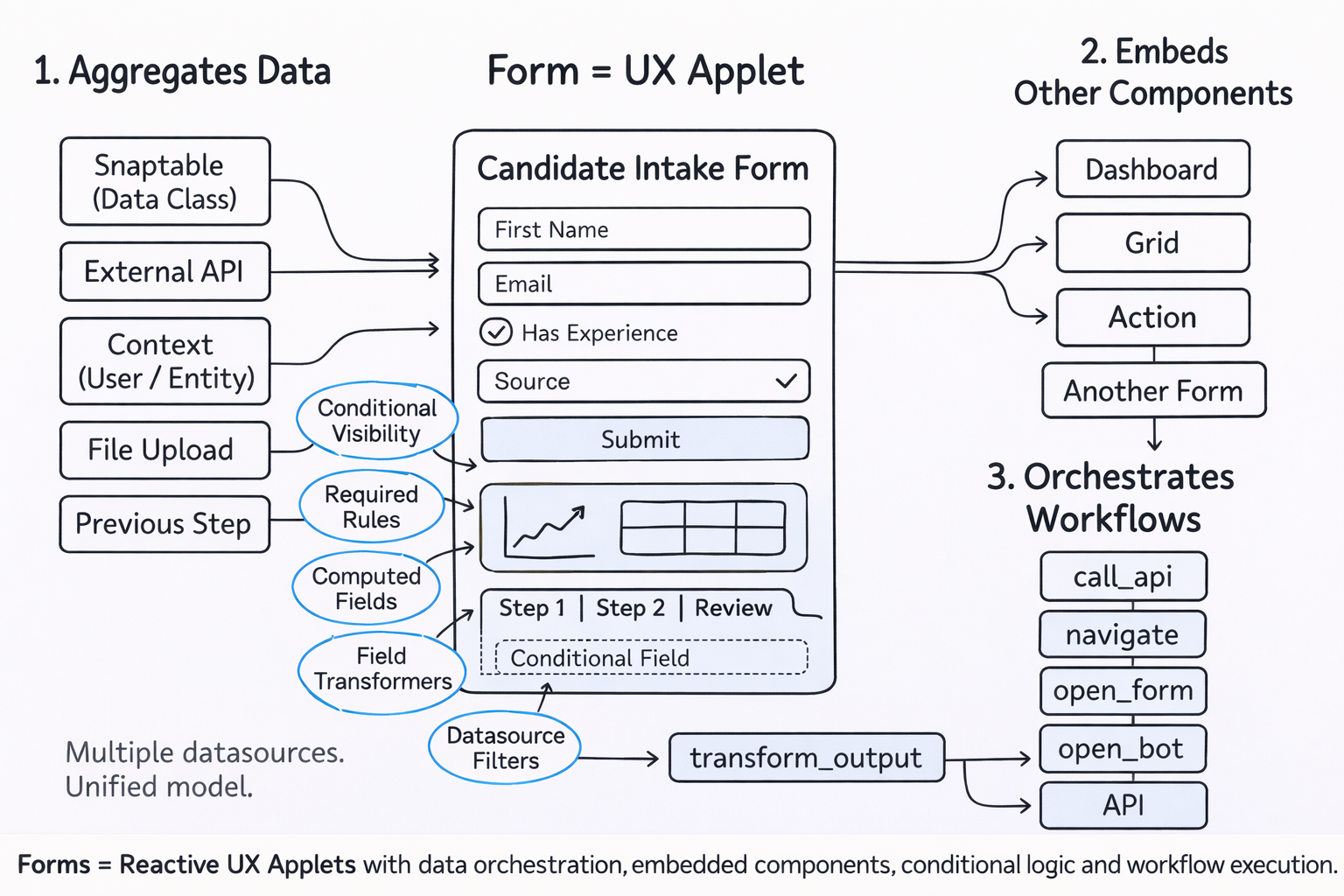
These surfaces can open with full record context, span multiple pages, use nested field groups, respond to datasources, show or hide sections dynamically, and trigger different actions. They can also embed richer displays such as tables, cards, dashboards, search, and inline actions inside the same governed surface. That makes them useful not only for intake, but also for guided editing, review, and controlled task completion.
What this includes
What this includes
Multi-step workspaces
Capture new information or open an existing record in a structured, multi-page workspace with staged review paths.
Context-aware behavior
Datasources, dependencies, search, and page logic can adapt what the user sees, what the system requires, and how the surface responds over time.
Mixed interaction surfaces
Submission buttons, inline actions, and embedded table, card, and dashboard displays can all sit inside the same governed experience.
What value it brings
What value it brings
Less ambiguity
Teams spend less time interpreting half-formed requests or reconstructing what a user meant.
One controlled work surface
The same capability can support intake, editing, inspection, staged review, and governed submission.
Safer change
Behavior can evolve through governed configuration rather than repeated custom rebuilds.